Best of Malaysia
nikkonlighting.com
energy saving lighting, green building lighting, IoT lighting Malaysia, Kuala Lumpur lighting control, lighting automation Malaysia, Nikkon Lighting products, Philips Hue Malaysia, Selangor smart home, smart lighting installation guide, smart lighting Malaysia
Best
0 Comments
Smart Lighting Control Systems: Guide for Homes & Offices in Kuala Lumpur, Selangor
What Is a Smart Lighting Control System and How Does It Work?
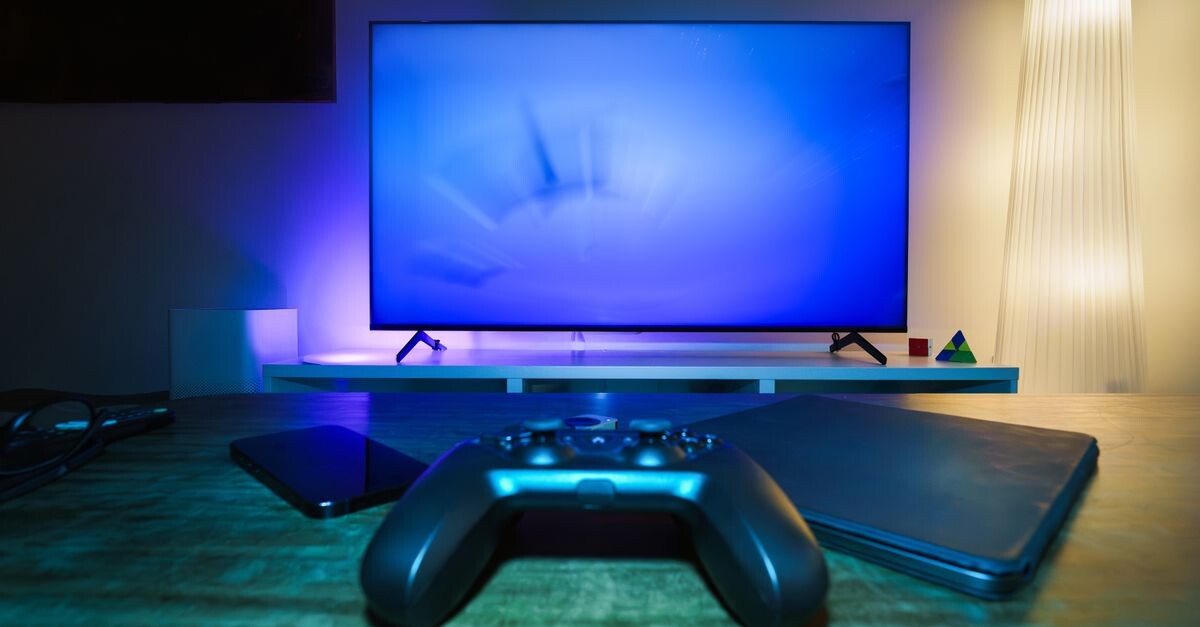
A smart lighting control system connects LED fixtures, sensors, and a wireless hub so you can adjust brightness, colour, and schedules via apps, voice commands, or automated triggers using protocols like Zigbee, Wi‑Fi, or Bluetooth.
The system comprises LED luminaires with built‑in drivers, a hub/gateway, motion/occupancy/ambient light sensors, wall panels or remotes, smartphone apps, and voice assistants such as Alexa, Google Assistant, or Siri. Wireless communication enables centralized management and energy‑saving automation.
Why Should Residents and Businesses in Kuala Lumpur Choose Smart Lighting?
Residents and businesses in Kuala Lumpur benefit from lower electricity bills, improved comfort, and enhanced security, while automated daylight harvesting supports the tropical climate and helps meet Malaysia’s Green Building Index standards.
For homes, smart lighting offers customisable ambience, motion‑activated night‑time safety, and reduced utility bills—especially valuable in high‑rise units. Offices and retail gain productivity boosts from tunable white lighting, colour‑accurate product displays, and easier compliance with GBI criteria.
How Much Energy Can a Smart Lighting System Save in a Typical Kuala Lumpur Condo?
In a typical 800‑sq‑ft Kuala Lumpur condo, smart lighting can cut lighting energy use by 30‑50 %, translating to roughly RM 300–RM 600 saved per year.
Savings come from occupancy sensors turning lights off after five minutes of no motion, daylight sensors dimming when natural light suffices, and scheduling that ensures lights are off during vacant work‑hours.
What Security Features Do Smart Lights Offer for Retail Shops in Selangor?
Smart lights in retail can simulate occupancy after hours, flash during alarms, and integrate with CCTV to illuminate blind spots, deterring intruders and allowing remote status checks via smartphone apps.
Use‑case examples include after‑hours “presence simulation” to deter burglars, alarm‑linked flashing to attract attention, and zone‑specific lighting for stock‑room safety.
Key Components of a Smart Lighting System for Malaysian Properties
A basic setup includes LED luminaires with built‑in drivers, a wireless hub/gateway, motion/occupancy/ambient light sensors, and user interfaces such as mobile apps, wall panels, or voice assistants.
Optional add‑ons are dimmers, colour‑tuning modules, and integration APIs for building management systems. Hub choice matters: Zigbee hubs provide low‑power mesh networking ideal for many devices, Wi‑Fi hubs are easier to install but increase network load, and hybrid hubs support both protocols for flexibility.
Which Wireless Protocol Works Best for Smart Lighting in Humid Malaysian Environments?
Zigbee and Z‑Wave are preferred in Malaysia’s humid climate because they use sub‑GHz frequencies that penetrate concrete walls better and suffer less Wi‑Fi interference, while mesh networking ensures reliability even if a node fails.
Protocol comparison: Zigbee (2.4 GHz or sub‑GHz, 10‑30 m indoor range, mesh yes); Z‑Wave (sub‑GHz 868 MHz, 30‑100 m outdoor, mesh yes); Wi‑Fi (2.4/5 GHz, 10‑20 m with wall attenuation, limited mesh).
What LED Specifications Should You Look For to Withstand Selangor’s Humidity and Heat?
Choose LED fixtures with an IP65 rating or higher, a colour temperature range of 2700K‑6500K, a minimum lumen maintenance (L70) of 50,000 hours, drivers with surge protection, and an operating temperature range of –20 °C to +50 °C to handle tropical conditions.
Additional features: corrosion‑resistant housing (aluminium or stainless steel), UV‑stable diffusers to prevent yellowing, and quick‑connect terminals for easy maintenance.
Step‑by‑Step Guide to Installing Smart Lighting in Your Home or Office
To install smart lighting, plan your layout, pick compatible fixtures, install LED luminaires, set up the wireless hub, pair devices via the manufacturer’s app, configure zones and schedules, then test voice or app control before securing all hardware.
Installation checklist:
- Determine lighting zones and required lumens.
- Purchase compatible LED fixtures and hub.
- Turn off power at the circuit breaker.
- Mount fixtures and run wiring per MS IEC 60364.
- Install the hub near your router for optimal signal.
- Follow the app’s pairing process for each device.
- Create scenes (e.g., “Movie”, “Work”, “Relax”).
- Test voice commands and automation.
- Secure all hardware and restore power.
What Should You Check Before Starting a Smart Lighting Installation in a Kuala Lumpur Apartment?
Verify that wiring meets MS IEC 60364, ensure a neutral wire at each switch location for smart switches, confirm adequate Wi‑Fi or Zigbee coverage, and check any strata or building‑management rules regarding device installation and data privacy.
Pre‑installation tips: consult building management for approval, use a Wi‑Fi analyzer app to map signal strength, and label cables to avoid confusion during reinstallation.
How Do Typical Malaysian Wiring Practices Affect Smart Lighting Retrofits?
Many older Malaysian buildings use conduit‑wired lighting without neutral wires, which can block direct smart‑switch installation; use smart relay modules behind the existing switch or battery‑powered wireless switches that communicate with the hub to preserve original wiring while adding smart functionality.
Retrofit solutions: smart relay (e.g., Shelly 1) in the switch box, battery‑operated Zigbee switch (e.g., Aqara), or powerline communication adapters for devices far from the hub.
Best Smart Lighting Brands and Products Available in Malaysia
Leading brands in Malaysia include Philips Hue, Xiaomi Mi Smart LED, TP‑Link Tapo, and Nikkon Lighting’s own smart series, offering varied ecosystems—Philips Hue uses Zigbee hubs, Xiaomi and TP‑Link rely on Wi‑Fi, while Nikkon provides locally supported products with warranty service in Kuala Lumpur and Selangor.
Product highlights:
- Philips Hue: white and colour ambience bulbs, light strips, outdoor fixtures.
- Xiaomi Mi Smart LED: affordable Wi‑Fi bulbs, colour‑tunable strips.
- TP‑Link Tapo: smart plugs, bulbs, and cameras with AI detection.
- Nikkon Lighting: LED panels, downlights, and strip lights with local support.
For a curated list of local lighting projects, see our Best of Malaysia guide: https://interesting-indeed.com/blog/v1/category/best-of-malaysia/nikkonlighting.com/
For detailed technical specifications, refer to the official Nikkon Lighting catalog: https://www.nikkonlighting.com/.
What Are the Main Features and Price Range of Philips Hue Products Sold in Malaysia?
Philips Hue provides white and colour ambience bulbs, light strips, and outdoor fixtures controlled via a Zigbee hub; in Malaysia a starter kit (hub + two bulbs) retails around RM 350, individual colour bulbs cost RM 120–RM 180, and light strips start at RM 200 depending on length.
Popular items: Hue White Ambiance E27 ≈ RM 80 each; Hue Colour E27 ≈ RM 150 each; Hue Lightstrip Plus (2 m) ≈ RM 220; Hue Outdoor Wall Lantern ≈ RM 350.
How Does Nikkon Lighting’s Smart Series Compare in Terms of Local Support and Warranty?
Nikkon Lighting’s smart series includes LED panels, downlights, and strip lights with built‑in Wi‑Fi or Zigbee options; sold through authorized dealers in Kuala Lumpur and Selangor, the products carry a 2‑year limited warranty and free technical support, including on‑site troubleshooting for commercial projects.
Support details: warranty covers LED driver and housing defects; technical hotline available 9 am‑6 pm, Mon‑Fri; on‑site service for projects >10 units within Klang Valley.
How to Integrate Smart Lighting with Voice Assistants and Home Automation
To integrate smart lighting with voice assistants, ensure your lighting system supports the assistant’s native protocol (Alexa uses Wi‑Fi or Zigbee via a hub, Google Assistant works similarly, and Siri requires HomeKit‑compatible devices), then link accounts in the assistant app, discover devices, and create routines for scenes, schedules, or voice‑activated scenes.
Integration steps:
- Verify compatibility (check product label for ‘Works with Alexa’, etc.).
- Install the assistant’s app and sign in.
- Add the lighting hub or bridge as a device.
- Sync devices and assign them to rooms.
- Create routines (e.g., ‘Good Morning’ turns on lights at 6:30 am).
- Test voice commands and adjust sensitivity.
What Steps Are Needed to Create an Alexa Routine That Turns On Lights at Sunset in a Kuala Lumpur Apartment?
Open the Alexa app, tap Routines → +, choose ‘Sunset’ as the trigger, add an action to control your smart‑light group, set the desired brightness and colour, then save; ensure your Alexa device and lighting hub share the same Wi‑Fi network for reliable execution.
Example routine:
- Trigger: Sunset (dynamic based on location).
- Action: Set Living Room lights to 70 % brightness, warm white (2700K).
- Optional: Add a second action to play soft music.
How Can Google Home Be Used to Automate Lighting Schedules for Office Buildings in Selangor?
In the Google Home app, create a schedule under ‘Settings’ → ‘Routines’, pick a time (e.g., 08:00 AM) to turn on office lights and another time (e.g., 07:00 PM) to dim or switch them off; assign the routine to specific rooms or zones and enable voice commands like ‘Hey Google, start workday’ for added convenience.
Office schedule example:
- 08:00 AM: Open‑plan area lights to 100 % cool white (5000K).
- 12:00 PM: Reduce to 60 % for lunch break.
- 07:00 PM: Dim to 20 % or turn off, except security zones.
Energy Savings and ROI: What Kuala Lumpur Users Can Expect
A typical smart lighting retrofit in a Kuala Lumpur office can reduce lighting electricity consumption by 40‑60 %, yielding annual savings of RM 1,200 to RM 2,500 for a 200 m² space; with average installation costs of RM 4,000–RM 6,000, the payback period falls between 1.6 and 3 years, after which the system delivers pure savings.
Savings breakdown:
- Lighting load reduction: 40‑60 %.
- HVAC savings from less heat emission: ~5 %.
- Maintenance savings from longer LED lifespan: ~10 %.
How Do You Calculate the Payback Period for Smart Lighting in a Residential Condo Compared to a Retail Shop in Selangor?
Divide the total installation cost by the annual energy savings; for a condo expect RM 800 yearly savings on a RM 3,000 install → ~3.8 years, while a retail shop may save RM 2,000 annually on a RM 5,000 install → ~2.5 years due to longer operating hours and higher lighting density.
Calculation example:
- Condo: Cost RM 3,000 / Savings RM 800 = 3.75 years.
- Retail: Cost RM 5,000 / Savings RM 2,000 = 2.5 years.
Are There Any Government Incentives or Rebates for Installing Smart Lighting in Malaysia?
Yes; the Malaysian Green Technology Financing Scheme (GTFS) offers low‑interest loans for energy‑efficient upgrades including smart lighting, and the Energy Commission’s rebate programme provides up to RM 500 per qualifying LED fixture for commercial buildings meeting Malaysia Energy Efficiency (MEE) standards.
How to apply:
- GTFS: Submit project proposal through participating banks.
- Energy Commission rebate: Provide purchase invoices and MEE compliance certificate.
- Local councils may offer additional rebates for GBI‑certified projects.
Maintenance Tips and Troubleshooting Common Issues
Regular maintenance involves cleaning fixtures, checking firmware updates, and testing sensor responsiveness; common issues include unresponsive lights (often due to lost hub connection), flickering (caused by incompatible dimmers), and false motion triggers (solved by adjusting sensor sensitivity or repositioning the unit).
Maintenance schedule:
- Monthly: Wipe diffusers and check for loose connections.
- Quarterly: Update firmware via manufacturer app.
- Annually: Inspect wiring, test sensors, replace worn gaskets.
How to Reset a Smart Light Hub After a Power Outage in a Kuala Lumpur Home?
Unplug the hub from power, wait 10‑15 seconds, then plug it back in; most hubs will automatically reconnect to paired lights within a minute. If lights remain unresponsive, open the manufacturer’s app, select the hub, choose ‘Factory Reset’, then re‑pair each device.
Reset steps:
- Disconnect hub power.
- Wait 10‑15 s.
- Reconnect power.
- Open app, navigate to Hub Settings.
- Select ‘Factory Reset’.
- Follow on‑screen instructions to re‑pair lights.
How Often Should LED Drivers Be Replaced in Smart Lighting Installations Exposed to Selangor’s Humidity?
LED drivers in humid environments typically last 8‑10 years if they have proper ingress protection (IP65 or higher) and surge protection; inspect them annually for signs of corrosion or swelling and replace any driver showing overheating, flickering, or failure to maintain rated output to ensure system reliability.
Signs of driver failure:
- Visible rust or corrosion on casing.
- Intermittent flickering or dimming.
- Overheating (casing too hot to touch).
- Failure to reach full brightness after warm‑up.
Future Trends: Smart Lighting and IoT in Malaysian Smart Cities
Malaysia’s smart city roadmap envisions interconnected lighting networks that adjust based on real‑time traffic, weather, and occupancy data; expect growth in Li‑Fi enabled streetlights, AI‑driven predictive maintenance, and integration with city‑wide IoT platforms that optimise energy use and enhance public safety across Kuala Lumpur and Selangor.
Trends to watch:
- Adaptive streetlighting that dims during low‑traffic periods.
- Integration with traffic signals for emergency vehicle pre‑emption.
- Use of environmental sensors (NO₂, PM2.5) to trigger air‑quality alerts via lighting colour changes.
What Are the Current Li‑Fi Streetlight Trials Happening in Kuala Lumpur’s City Centre?
Kuala Lumpur City Hall has partnered with local tech firms to deploy Li‑Fi streetlights along Jalan Raja and Bukit Bintang, using light‑based communication to deliver broadband speeds up to 1 Gbps to pedestrians; the pilot evaluates energy savings, data throughput, and public feedback before a potential city‑wide rollout.
Pilot metrics:
- Installed fixtures: 20 along Jalan Raja, 15 along Bukit Bintang.
- Average data speed: 800 Mbps downlink.
- Energy reduction vs. conventional LED: ~15 %.
- Public satisfaction score: 4.2/5 (survey of 200 users).
How Is AI Being Used for Predictive Maintenance of Smart Lighting in Selangor’s Commercial Sector?
AI algorithms analyse historical power consumption, temperature, and failure logs from smart lighting systems to forecast driver or sensor malfunctions weeks in advance; facility managers in Selangor receive automated alerts, allowing them to schedule replacements during low‑occupancy periods, reducing downtime and maintenance costs by up to 30 %.
AI workflow:
- Data collection from smart meters and sensors.
- Feature extraction (usage patterns, temperature spikes).
- Model training (e.g., Gradient Boosting).
- Prediction output (probability of failure within 30 days).
- Alert generation and ticket creation in CMMS.
Frequently Asked Questions (FAQs)
- What is the minimum internet speed required for a smart lighting system to work reliably?
- Most smart lighting systems use low‑bandwidth protocols like Zigbee or Wi‑Fi; a stable home broadband of 5 Mbps is sufficient for app control and firmware updates.
- Can I mix different brands of smart lights in one system?
- Yes, as long as they share the same wireless protocol (e.g., all Zigbee devices) or are connected to a compatible hub that supports multiple brands.
- Are smart lighting systems safe to use in humid environments like Selangor?
- Choose fixtures with an IP65 rating or higher and drivers rated for tropical temperatures; proper installation and regular maintenance ensure safety and longevity.
- Do smart lights increase my electricity bill due to constant standby power?
- Standby power of modern smart LEDs is typically under 0.5 W per device, resulting in negligible impact on your overall bill.
- How do I ensure my smart lighting system is compatible with future upgrades?
- Opt for systems that support open standards (Zigbee 3.0, Matter) and provide firmware updates, allowing integration with newer devices and platforms.
Share this content: